Achievements Editor#
The Achievements Editor defines the trophy/achievement list your game can unlock: id, name,
description, icon, points, secrecy and how each one unlocks. It saves to the project's
achievements.json.
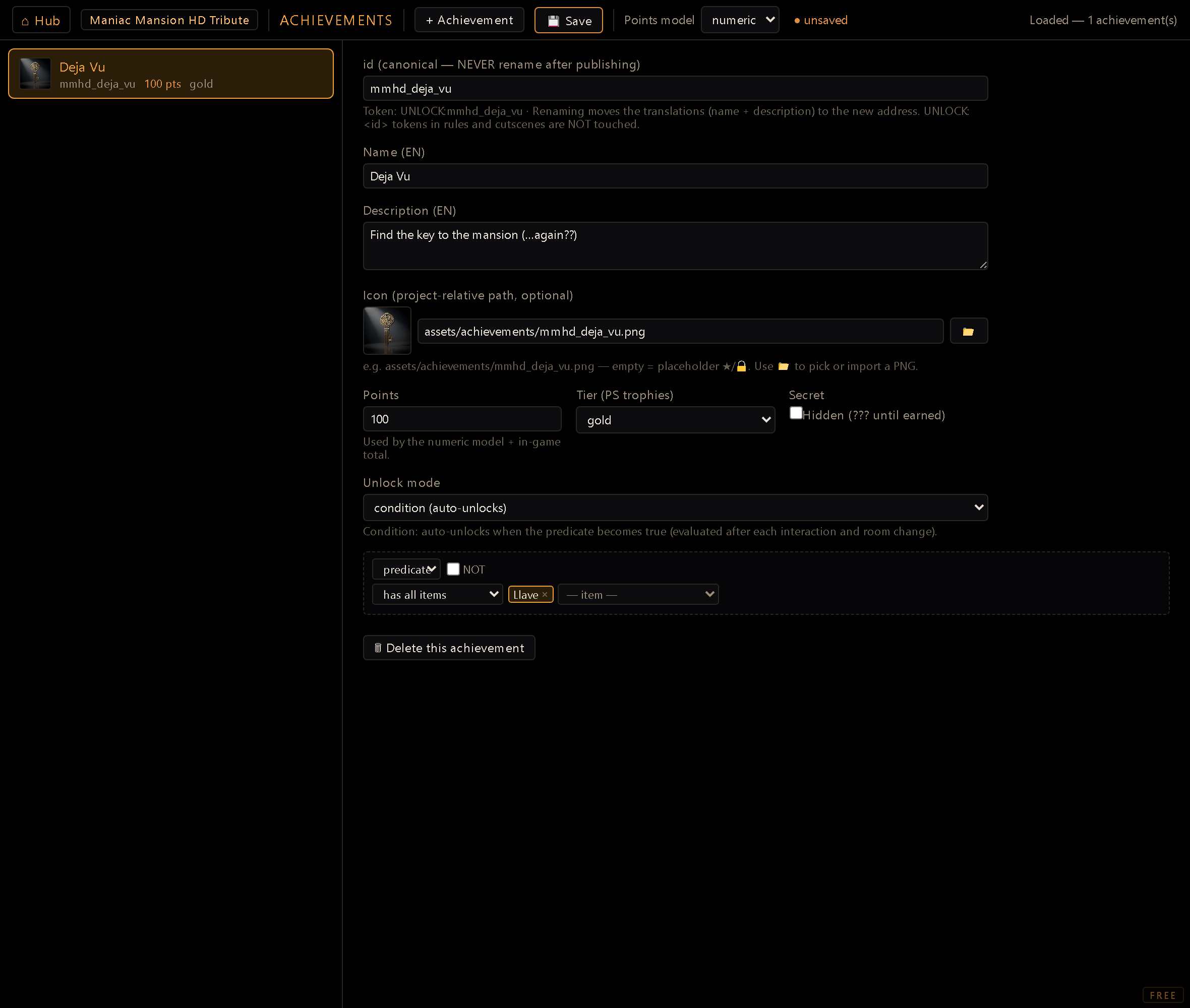
You reach it from the Hub (dev server running). Achievements are listed on the left, each with a small icon thumbnail; + Logro creates a new one, and selecting a card opens its detail form.
Points model#
A toolbar dropdown sets the project-wide points model:
- numeric: a Gamerscore-style running total (each achievement carries a
pointsvalue). - tiers: bronze/silver/gold trophy grading instead of points.
- none: achievements exist purely as a checklist, no scoring.
This only changes how you present achievements in-game. The underlying fields (points,
tier) are always stored, so switching models later doesn't lose data.
Fields#
- ID: the stable key. It's what the
UNLOCK:<id>effect token and save data reference, so treat it as permanent. If you do rename it before shipping, the editor migrates the two translation records with it: leaving the field re-addressesach_<id>_name/ach_<id>_descand moves whatever the string table holds there (every locale, not just the default one). If the new address already holds saved translations (usually an orphan left behind by a deleted achievement), the editor stops and shows you that text, locale by locale, and asks: use them for the renamed achievement (your own wording for the source language still wins, so only the other locales are inherited, which is what you want when you are recreating something you deleted), or discard them and move your own in. Cancelling leaves everything exactly as it was.UNLOCK:<id>tokens in rules and cutscenes are not rewritten. Those you fix by hand. - Name / Description: authored monolingually in the project's
defaultLocale(shown as the field label, e.g. "Name (ES)"). Each is backed by a lid (ach_<id>_name/ach_<id>_desc) so the Translation Editor can fill in the other project languages later; you never author a{es,en}pair here directly. - Icon: a path under
assets/achievements/, filled by typing it or via the 📁 button, which opens the shared browse/import picker: pick an existing PNG fromassets/achievements/, or import one from disk (deposited server-side asassets/achievements/<id>.png). A thumbnail preview next to the field shows the icon as you type or pick it; if no icon is set yet, or the path doesn't resolve to an image, you'll see a generic placeholder instead. - Points: only meaningful under the
numericmodel, but always stored. - Tier:
bronze/silver/gold/ none, only meaningful under thetiersmodel. - Secret (hidden): when checked, the in-game achievements list masks the name, description
and icon to
???until the player actually earns it.
Unlock mode#
Each achievement unlocks one of two ways:
- Explicit: fired by an
UNLOCK:<id>effect token in a reaction, dialog or cutscene, wherever you decide the moment happens. - Condition: unlocks itself the moment a predicate becomes true, evaluated on coarse game hooks (after a reaction, room change, inventory change, never per frame). Switching to Condition reveals the same predicate builder used across the puzzle and reactions tools, autowired to the project's rooms, items and flags; a condition left empty never auto-unlocks (it would otherwise fire instantly).
Workflow#
- + Logro and give it a stable ID.
- Fill in Name and Description for the project's default language.
- Set the Icon via the 📁 browse/import picker.
- Set Points/Tier to match the project's points model, and tick Secret if it should stay hidden until earned.
- Pick Explicit (drop an
UNLOCK:<id>token somewhere) or Condition (build the unlock predicate right here). - Guardar to write
achievements.json.
Points and completion are always computed, never stored. The engine derives earned/total points and the 100%-complete state from the registry plus the player's unlocked set at read time; there's nothing to keep in sync by hand.
Renaming migrates its translations, not its references. Editing the ID moves its name/ description strings to the new ID automatically. If the destination already had orphaned text (from a deleted achievement), you're asked to adopt or discard it. What renaming does not fix: any
UNLOCK:<id>token, condition predicate, or save data still pointing at the old ID keeps pointing at the old ID. Rename freely before shipping; after, treat the ID as the contract it always was.Deleting one now offers to take its translations with it. The ask comes when you press Save, not when you press Delete. Up to that point the achievement is only gone from the screen, and burning its rows early would leave you with a live achievement and dead translations if you closed without saving. The dialog shows the text of every row it is about to remove, in every language it holds, and dismissing it means keep. Keeping is a real answer: a parked row is what lets a re-created achievement adopt its old translations, and the Project Doctor can sweep it later if it never comes back.